
If you are visiting Korea for the first time, one of the smartest things you can do before your flight is download the right Korea travel apps.
Korea is very convenient, but it works a little differently from many other countries. Some apps that you use at home may not be the most useful here. For example, many travelers quickly realize that local map apps are often better for subway exits, walking routes, bus stops, restaurants, and small streets in Korea.
As a Korean, I can say this simply: Korean people use apps for almost everything. We use them to find subway routes, check bus arrival times, translate words, call taxis, search restaurants, and save places. Once you have the right apps, traveling in Korea becomes much less stressful.
This guide will show you the best Korea travel apps for foreign tourists. You will learn what each app is for, who needs it, how to use it, and what mistakes first-time visitors should avoid.
Why Korea Travel Apps Matter for Foreign Tourists
Korea has excellent public transportation, fast internet, and many helpful digital services. But many of these services are built around Korean apps. That is why downloading a few local apps can make your trip much easier.
A good map app helps you find the right subway exit. This is very important in Seoul because one station can have many exits. If you leave from the wrong exit, you may walk much longer than expected.
A translation app is also useful. Many signs in tourist areas have English, but smaller restaurants, local markets, bus notices, and ticket machines may still use Korean. You do not need to speak perfect Korean, but having a reliable translation app can help you feel more confident.
Transportation apps are also important. Korea’s subway and bus system is convenient, but the first few days can feel confusing. With the right apps, you can check routes, transfer stations, arrival times, and estimated travel time.
Essential Korea Travel Apps at a Glance
Here are the main apps I recommend for most first-time visitors to Korea.
| App | Best For | Who Needs It |
|---|---|---|
| Naver Map | Navigation, walking routes, restaurants, subway exits | Almost every traveler |
| Kakao Map | Local routes, public transit, backup navigation | Travelers who want another map option |
| Papago | Korean-English translation | Every first-time visitor |
| Kakao T | Taxi and mobility services | Travelers who plan to use taxis |
| VisitKorea | Official travel information | Travelers planning sightseeing |
| Subway app | Subway routes and transfers | Visitors staying in Seoul or Busan |
You do not need to download every possible app. For most tourists, Naver Map, Papago, Kakao T, VisitKorea, and one subway app are enough.

Naver Map: Best Overall Map App for Korea Travel
Naver Map is one of the most useful Korea travel apps for foreign tourists. It is a Korean map and navigation app that helps you find places, walking routes, public transportation routes, restaurants, cafes, attractions, and subway exits.
Naver Map provides Korean, English, Japanese, and Chinese map support, and the app listing says English navigation is available. This makes it more comfortable for many foreign visitors than using a Korean-only app.
For tourists, the most useful feature is route search. You can type your destination and check how to get there by subway, bus, car, taxi, or walking. It also shows estimated travel time, transfer points, and nearby stations.
Naver Map is especially helpful in Seoul. Many subway stations are large and have several exits. The app can help you choose the closest exit to your hotel, restaurant, museum, or shopping area.
A local tip: save your hotel, airport terminal, and major places before you go out. This saves time when you are tired or when your mobile data is slow.
How to Use Naver Map Step by Step
First, download Naver Map before your trip. After opening the app, set the language to English if it does not appear automatically.
Second, search for your hotel or destination. If the English name does not work, try copying the Korean address from your hotel booking page. Korean map apps often work better with Korean place names or Korean addresses.
Third, choose your route. For most tourists in Seoul, public transportation is usually the best option. Check the subway line, transfer station, exit number, and walking time.
Fourth, screenshot or save important routes. This is helpful if your connection becomes unstable inside subway stations.
Kakao Map: A Useful Backup Map App
Kakao Map is another major Korean map app. It is useful for directions, public transit, driving routes, walking routes, local restaurants, and attractions. Kakao’s official page says Kakao Map can find routes for public transit, cars, walking, and bikes.
I recommend Kakao Map as a backup to Naver Map. Some travelers prefer Naver Map, while others like Kakao Map’s route details. It is useful to have both, especially if one app does not show a place clearly.
Kakao Map can also be helpful when checking bus routes. Korean buses are convenient, but they can be confusing for first-time visitors. A map app can show where the bus stop is and which direction the bus is going.
One thing to remember: even if an app has English menus, not every place name, review, or small local detail will always appear perfectly in English. This is normal in Korea. When this happens, copy the Korean text into Papago.
Papago: Best Translation App for Korea Travel
Papago is a translation app made by Naver. For foreign tourists in Korea, it is one of the most practical apps to download.
Papago is useful for Korean-English translation, and its app information says it supports text, image, voice, and offline translation features. This is very helpful when you are reading menus, signs, product labels, subway notices, or short Korean messages.
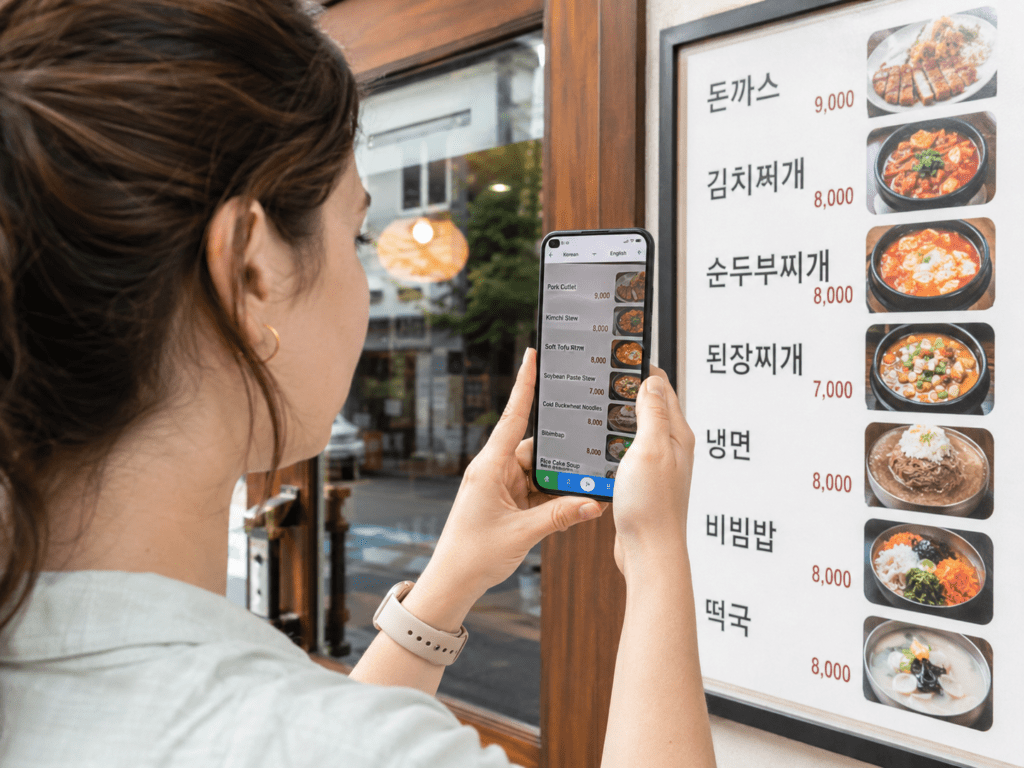
The image translation feature is especially useful. You can take a photo of Korean text, and the app will translate it. This can help in local restaurants where the menu does not have English.
Papago is also helpful for simple conversations. You can type a sentence like “Does this contain pork?” or “Can I pay by card?” and show it to the staff. Keep your sentences short and simple for better translation.
A Korean local tip: Papago is often better than direct word-by-word translation for Korean travel situations. Korean sentence structure is different from English, so short and clear sentences work best.
Kakao T: Taxi App for Korea
Kakao T is a popular mobility app in Korea. Many Koreans use it to call taxis. For foreign tourists, it can be useful when you are traveling late at night, carrying luggage, or going somewhere that is not easy to reach by subway.
Kakao T is especially useful after arriving at Incheon Airport, going to a hotel with heavy bags, or returning from an area where subway service is limited. It can also reduce language problems because you enter your destination in the app.
However, foreign visitors should be careful. App login, phone number verification, and payment options can change. Some travelers may have an easier experience using Kakao T with a Korean phone number, while others may need to pay the taxi driver directly depending on the available options.
Before relying on Kakao T, open the app before your trip and check whether you can register, add payment, and search destinations. If it does not work smoothly, you can still use regular taxis from taxi stands at airports, hotels, and major stations.
VisitKorea App: Official Travel Information
VisitKorea is the official travel app from the Korea Tourism Organization. It is useful for sightseeing ideas, attractions, festivals, food, accommodations, shopping, transportation information, and emergency contacts.
The official VisitKorea app page says the service provides tourist attractions, food, accommodations, shopping, festivals, and more, and it has been integrated with the VisitKorea website as a comprehensive platform.
This app is a good choice when you want official travel information instead of random social media advice. It is also helpful when checking seasonal festivals or tourist attractions outside Seoul.
I recommend using VisitKorea during the planning stage. It can help you discover places beyond the most famous spots. Korea has many regional destinations, and official tourism information can be useful when you want to travel to Busan, Gyeongju, Jeonju, Jeju, Gangneung, or other cities.
Subway Apps: Helpful for Seoul and Busan
Korea’s subway system is one of the best parts of traveling here. It is clean, efficient, and usually easy to use once you understand the basics. But for first-time visitors, the subway map can look complicated.
A subway app can help you check routes, transfer stations, travel time, and last train information. This is especially useful in Seoul, where the subway network is large.
Some map apps already include subway routes, so you may not need a separate subway app. But many travelers still like having one simple subway app because it is faster for checking station-to-station routes.
When choosing a subway app, look for one with English support, offline route maps, and clear transfer information. Also check recent reviews before downloading, because app quality can change over time.
Google Maps in Korea: Useful, But Not Always Enough
Many foreign tourists naturally open Google Maps first. It can still be useful for checking reviews, saving famous places, and getting a general idea of an area.
However, Korea has long been a country where Google Maps did not work as fully as it does in many other places, especially for detailed navigation. Recent reporting in 2026 said Google received conditional approval related to map data access in South Korea, but actual app performance and timing may still vary for travelers.
For now, I still recommend using Korean map apps like Naver Map or Kakao Map for daily navigation. They are commonly used by locals and are often more detailed for subway exits, bus stops, small streets, and local businesses.
A practical way to travel is this: use Google Maps for saved international lists or familiar reviews, but use Naver Map or Kakao Map when you need exact directions in Korea.
Apps to Download Before Arriving in Korea
Do not wait until you arrive at Incheon Airport to download everything. The airport is busy, and you may be tired after your flight.
Before your trip, download these apps:
Naver Map for navigation.
Papago for translation.
Kakao T for taxis.
VisitKorea for official travel information.
A subway app for Seoul or Busan routes.
After downloading them, open each app at least once. Set the language, allow location access, and check whether you need login or phone verification. This small preparation can save you stress later.
Also, prepare mobile data before arrival. A Korea eSIM, SIM card, or portable Wi-Fi device makes these apps much more useful. Without data, you may struggle to check routes or translate signs when you need help.
Common Mistakes First-Time Visitors Make
One common mistake is relying only on Google Maps. It may be familiar, but it is not always the best tool for moving around Korea. Local apps can give better details for public transportation and walking routes.
Another mistake is not saving your hotel address in Korean. Always keep your hotel name and address in both English and Korean. This helps taxi drivers, hotel staff, and local people understand where you need to go.
Some travelers also forget to check app language settings. Before your trip, open each app and change the language if possible. Do not wait until you are standing outside the airport or subway station.
Another mistake is assuming every app will accept a foreign credit card. Some Korean apps may have limits depending on payment method, phone number, or account setup. Always have a backup plan, such as a physical credit card, cash, or help from your hotel.
Local Tips from a Korean Perspective
When Koreans search for places, we often use map apps first. We check opening hours, photos, reviews, menus, route options, and subway exits in one place. Tourists can use the same habit.
For restaurants, search in both English and Korean if possible. Some small local restaurants may not appear correctly with only the English name. You can copy the Korean name from Instagram, a blog, your hotel page, or Papago.
For subway travel, always check the exit number. In Korea, the exit number is often more important than the station name alone. A large station like Hongdae, Gangnam, Seoul Station, or Express Bus Terminal can feel confusing if you choose the wrong exit.
For taxis, prepare the destination in Korean. Even if you use Kakao T, it is smart to keep a screenshot of the Korean address. This is helpful if you need to show it to a driver.
Things to Check Before Your Trip
App features, payment options, login rules, and supported languages can change. It is always a good idea to check the official app page before your trip.
Check whether the app is available in your country’s app store. Some apps may appear differently depending on your Apple App Store or Google Play region.
Check whether you need a Korean phone number. Some features may work without one, while others may require verification. This is especially important for taxi and delivery-related apps.
Check your internet plan. Korea has fast mobile internet, but you need access to it. A Korea eSIM is usually one of the easiest options for short-term tourists.
Finally, check whether your hotel address is saved offline. Even if your phone battery is low or data is slow, having a screenshot can help you get back safely.
Frequently Asked Questions
Q. What is the best map app for Korea?
A. Naver Map is one of the best map apps for foreign tourists in Korea. It supports multiple languages and is very useful for public transportation, walking routes, subway exits, restaurants, and attractions.
Q. Should I download both Naver Map and Kakao Map?
A. Yes, it is a good idea if you have enough phone storage. Naver Map can be your main map app, and Kakao Map can be your backup when you want to compare routes or search results.
Q. Can I use Google Maps in Korea?
A. You can use Google Maps for some searches, reviews, and general location checks. However, for detailed navigation, subway exits, bus stops, and walking routes, Korean map apps are usually more useful for travelers.
Q. Is Papago better than Google Translate in Korea?
A. Papago is very useful for Korean-English travel situations because it is made by Naver and works well with Korean text. Google Translate can still be helpful, but many travelers prefer Papago for menus, signs, and short Korean sentences.
Q. Do I need a Korean phone number to use Korea travel apps?
A. Some apps and features may work without a Korean phone number, but others may require phone verification. Taxi, payment, and booking features can be more limited for tourists, so check the app before your trip.
Q. What apps should I download before landing at Incheon Airport?
A. Download Naver Map, Papago, Kakao T, VisitKorea, and one subway app before you arrive. Open them before your flight, set the language, and save your hotel address in Korean and English.
Q. Are Korea travel apps free?
A. Most major Korea travel apps are free to download. However, you may need mobile data, and some services inside the apps, such as taxis or reservations, will cost money.
Final Thoughts
The best Korea travel apps can make your first trip feel much easier. Korea is a very convenient country for travelers, but the convenience becomes clearer when you use the same tools that locals use every day.
For most foreign tourists, I recommend starting with a simple app set: Naver Map for navigation, Papago for translation, Kakao T for taxis, VisitKorea for official travel information, and one subway app for public transportation. This is enough for most first-time visitors. You do not need to fill your phone with too many apps.
The most important thing is to prepare before arrival. Download the apps, open them, check the language settings, and save your hotel address in Korean. Also prepare mobile data with an eSIM, SIM card, or portable Wi-Fi device. These small steps can make your first day in Korea much smoother.
Remember that app features, payment options, and operating details can change. Always check the official app page before your trip, especially if you plan to use taxi, payment, or booking features.
Once your basic apps are ready, Korea becomes much easier to explore. You can find subway routes, translate menus, call a taxi, search cafes, and discover local places with more confidence. For your next step, it is also helpful to read guides about the Seoul subway, T-money Card, Korea eSIM, and how to get from Incheon Airport to Seoul.